Convert live pages into editable MasterGo layers with one click
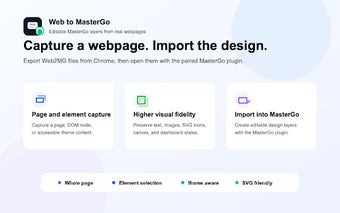
Web to MasterGo by zxpzdtom is a Chrome extension that converts live web pages into editable layers inside MasterGo, aimed at UI teams and product designers. It captures visible pages or selected elements and prepares structured export files for import into a design workspace. The tool focuses on preserving visual fidelity and reducing manual recreation work, within busy product teams and iterative design cycles that require precise layer structure.
What page elements does it capture and how are they exported?
The extension captures either an entire visible page or a selected DOM element with a single action and exports a structured .web2mg JSON file for import. After capture, HTML and CSS are transformed into editable design layers, with text and layout represented as native components rather than flat images. This approach provides a direct starting file for designers who need a faithful reconstruction of a live interface.
How well does it reproduce complex visuals and interactive pieces?
It preserves advanced assets such as SVGs, icon fonts, and CSS masks and can include canvas snapshots and button states in the export. The tool also captures same-origin iframe content when page permissions allow access, which helps retain embedded dashboards and widgets. Those capabilities reduce manual re-creation of layered graphics and scripted interface elements during post-capture clean-up.
How does it fit into a team's import and collaboration workflow?
The capture workflow pairs with a companion plugin inside MasterGo to import the exported file into a design project, enabling a code-to-design feedback loop. The developer maintains the extension to keep pace with web standards and MasterGo changes, and its lightweight single-click operation keeps capture time low. Teams can use the output as editable source material for reviews, token alignment, and developer collaboration.
Practical for MasterGo-centric teams, with a browser scope trade-off
Web to MasterGo is a practical tool for teams that base their UI work in MasterGo and need rapid, editable source files from live sites. Its focus favors projects where a design team prepares material for iteration rather than delivering final polished assets. Expect a brief layer reconciliation step after import, and include this tool in the pre-review stage of your design workflow.